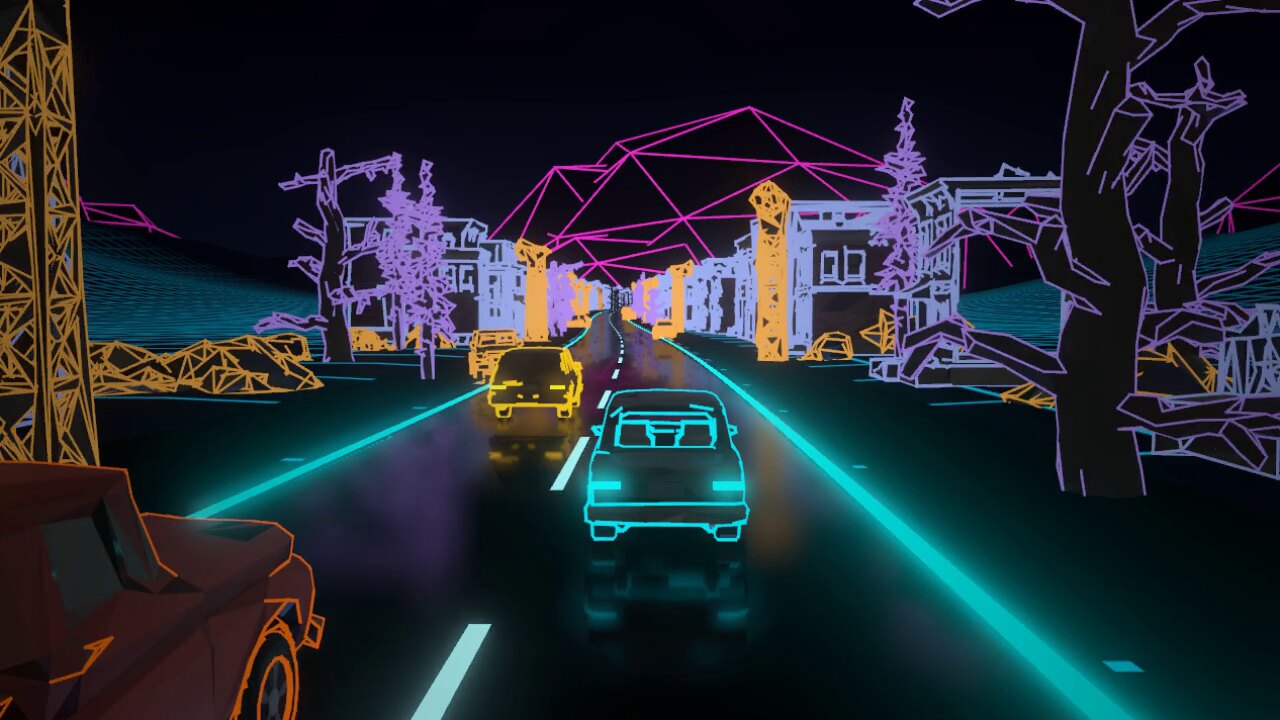
With DET-33 out the door I started something small on the side: Detour 33, a racer set in the same city, built in Godot and C# and played on the Steam Deck. Before writing any car code I wanted to know what it should look like, so I built a short road in Blender out of loft cars and cone trees and rendered it in five styles. Here are four of them.
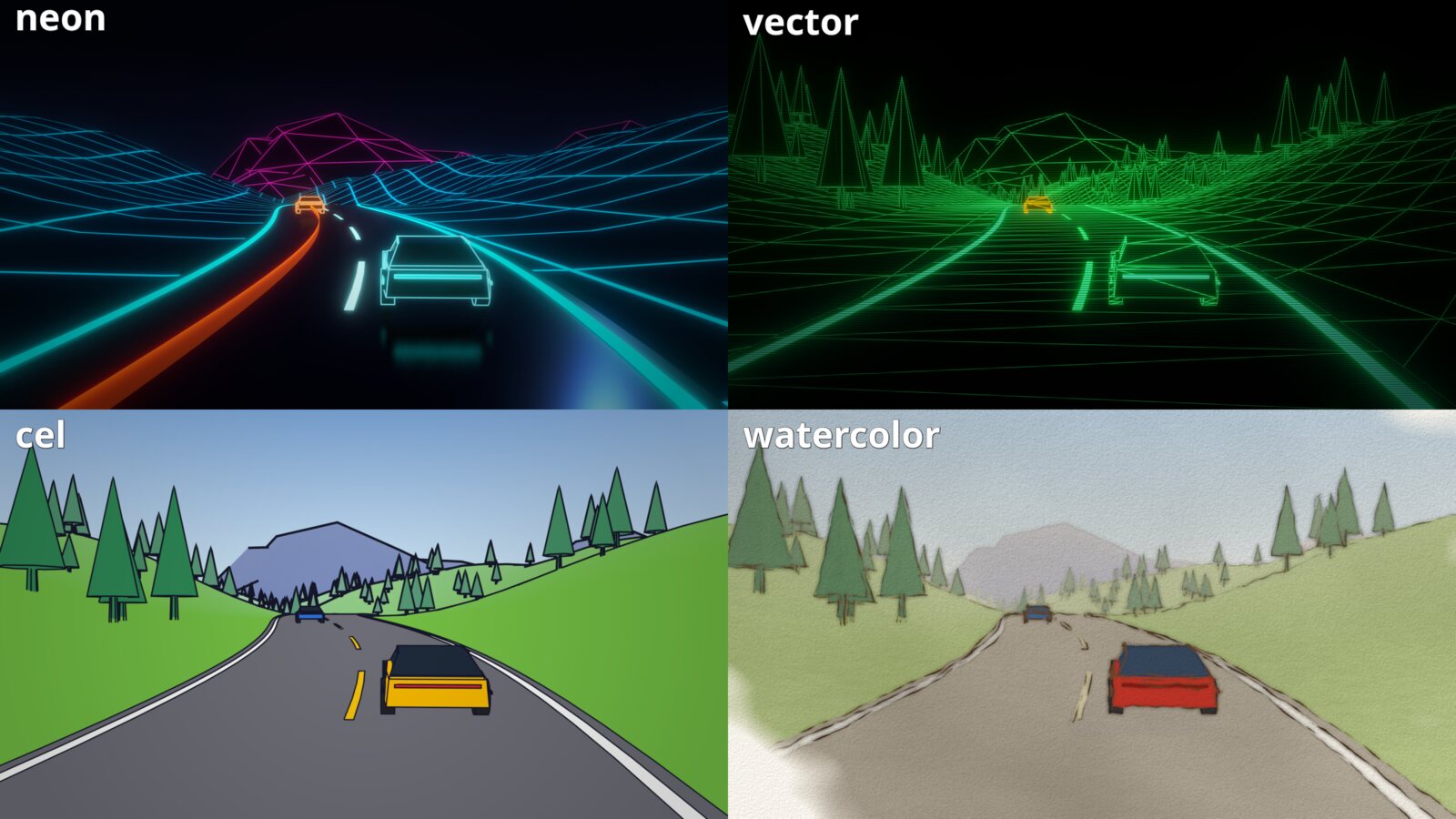
Neon won without much of a fight. Once the placeholders were swapped for low-poly conversions of the real DET-33 trees, cars and buildings, it looked like this: the faces keep a faint version of their true colour, every outline glows, and the ground is a cyan grid. The lines come from Blender’s Freestyle pass, which traces the feature lines of a model, and a post pass adds the bloom and vignette on top.
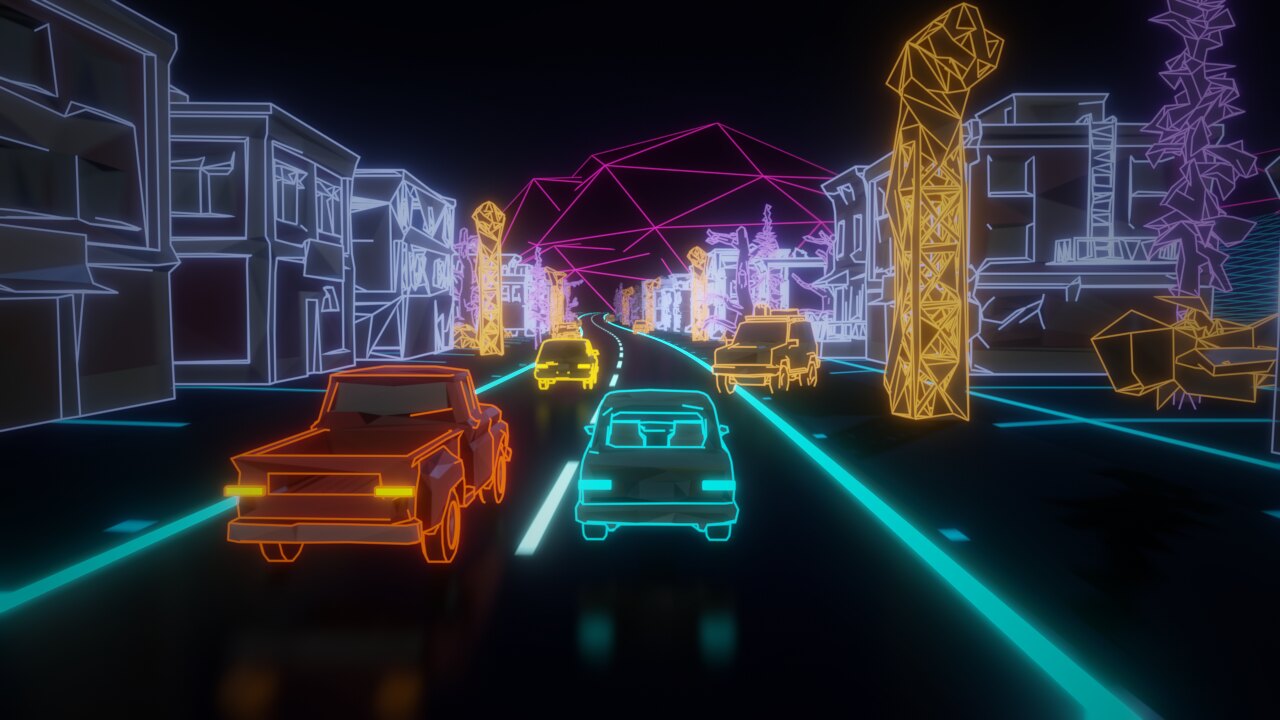
Freestyle is lovely and it’s also an offline renderer. It leaked about 0.15 GB a frame on the Old City street, so clips had to be rendered 16 frames at a time, and the street only kept 300 m of scenery alive or it ran out of memory entirely. None of that comes to Godot anyway. If the game was going to look like the mocks, I had to rebuild the line picking myself, and it had to fit in a Deck frame.
What Freestyle is actually drawing
The thing that makes the look work isn’t that edges glow. It’s which edges glow. Draw every triangle edge and a tree turns into a pile of shattered glass:
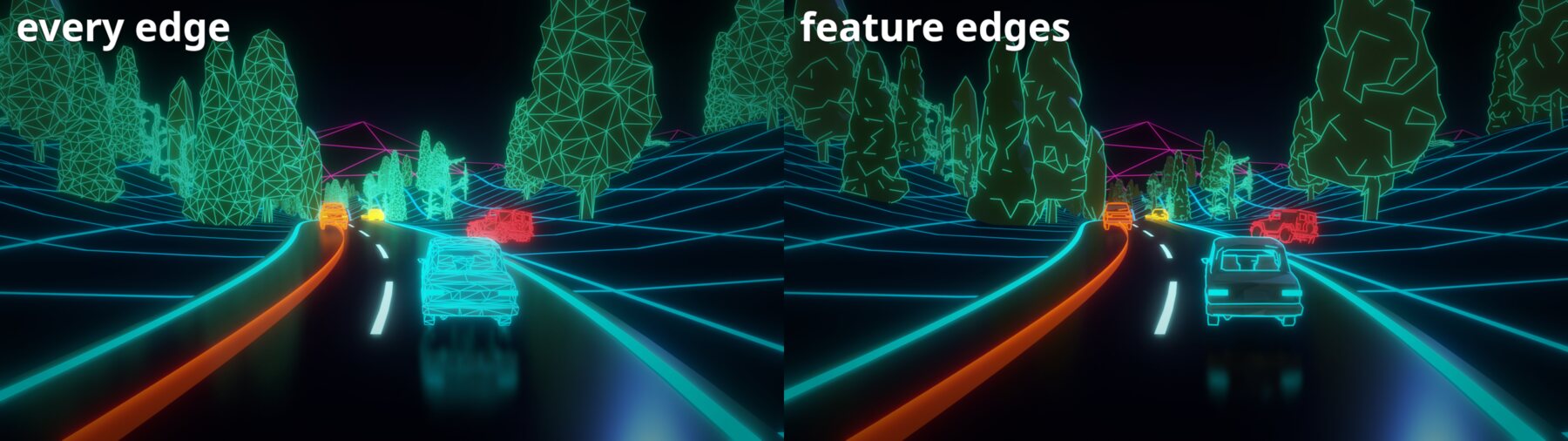
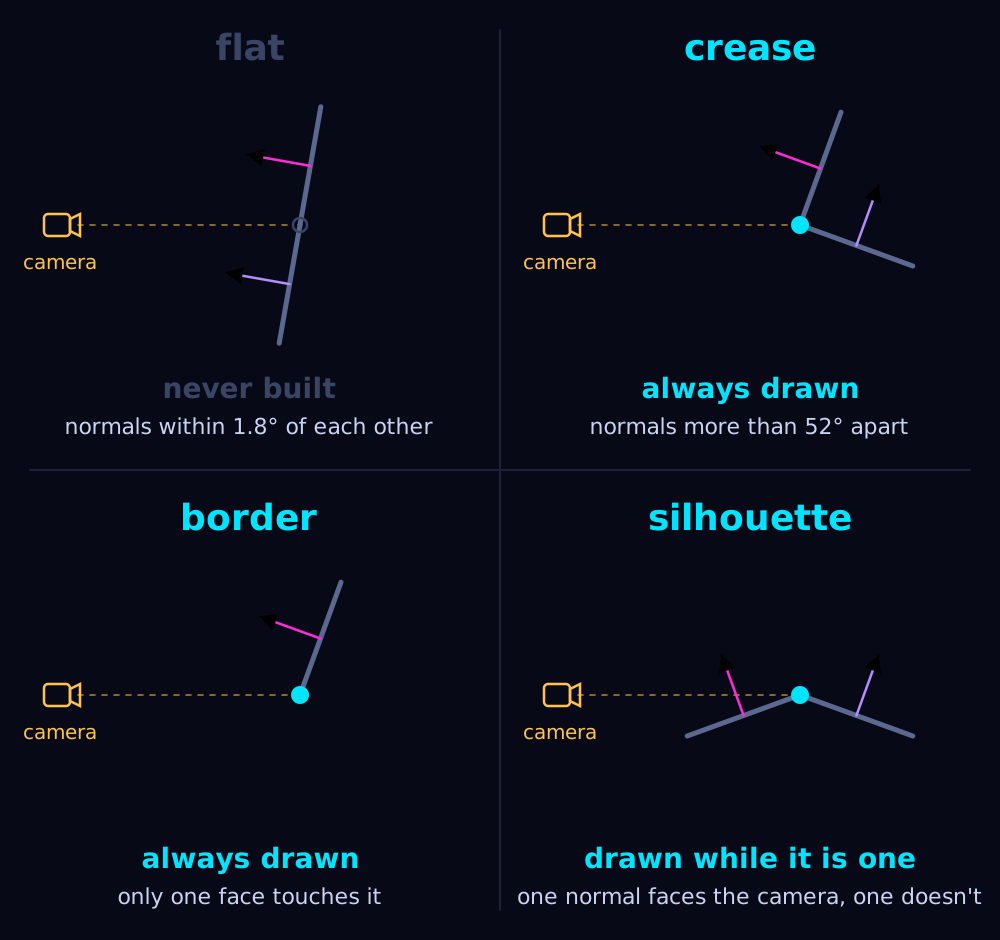
The right side keeps three kinds of edge:
- A crease: two faces meeting at a sharp angle. Detour 33 uses anything over 52 degrees.
- A border: an edge with only one face, the open end of a mesh.
- A silhouette: one face toward the camera and the other away from it. This is the only kind that depends on where you’re standing, so it has to be worked out every frame.
Everything else is a smooth edge and stays dark.
One quad per edge
When a mesh loads, EdgeMesh.Build walks its triangles and builds a second mesh made only of lines. The converted models are flat-shaded, which means every face has its own copy of each corner, so the first step is welding those copies back together (anything within a tenth of a millimetre is the same point). Then each edge gets a list of the faces that touch it, and that list decides everything. One face is a border. Two faces with normals more than 52 degrees apart is a crease. Two faces within about 1.8 degrees of each other can never be a crease or a silhouette, so that edge is never built at all. That cut matters more than it sounds, since it throws out every diagonal that splits a flat wall into triangles.
Every edge that survives becomes a quad of four vertices, and every vertex carries the whole story: its own end of the edge, the other end, which side of the line it sits on, both face normals, and the crease or border flag. That’s a lot of data for a line. It’s the price of letting the vertex shader decide on its own.
The vertex shader decides
Each frame the shader moves both ends into view space and asks one question:
bool silhouette = dot(na, -mid) * dot(nb, -mid) < 0.0;
bool keep = all_edges || CUSTOM1.w > 0.5 || silhouette;
If the two face normals disagree about facing the camera, the edge is on the silhouette right now. Crease and border edges skip the question. An edge that isn’t kept gets its position thrown outside the clip volume, so the GPU drops it before anything is drawn.
A kept edge gets widened in screen space to a fixed width (1.6 px at 720p, scaled with the viewport height, so the Deck at 800 lines and a 4K monitor get proportionally the same line), and pushed half a width past each end so neighbouring edges join into a corner instead of leaving a notch. It also gets pulled 0.4% toward the camera, which is the cheap way of making sure a line never loses the depth test to the face it’s sitting on.
Colour isn’t in the shader at all. Every mesh sits under a node named class_<name>, and neon.json gives each class its colour, width and fade distance. Trees fade out by 400 m, buildings by 600 m, and the landmarks never fade, so the infested tower stays on the skyline.
Here’s the Blender mock next to the same scene in Godot:
They aren’t pixel identical. Godot’s glow, screen-space reflections on the road and a vignette overlay stand in for the mocks’ post pass, but the lines are the same lines, and the Godot side runs live.
What it costs
This is the part I didn’t expect. On the Deck the GPU is the limit, and its cost follows the primitive count almost in a straight line: about 5.3 ms per million. Most of those primitives aren’t the scene. The Old City has 367k triangles and 414k edge quads, which is 828k triangles of outline sitting on top of the geometry it outlines.
And the quads cost whether they draw or not. Every edge runs through the vertex shader every frame to find out whether it’s a silhouette, so a smooth edge that stays dark costs the same as one that glows. The only edges that are actually free are the flat ones the builder never made.
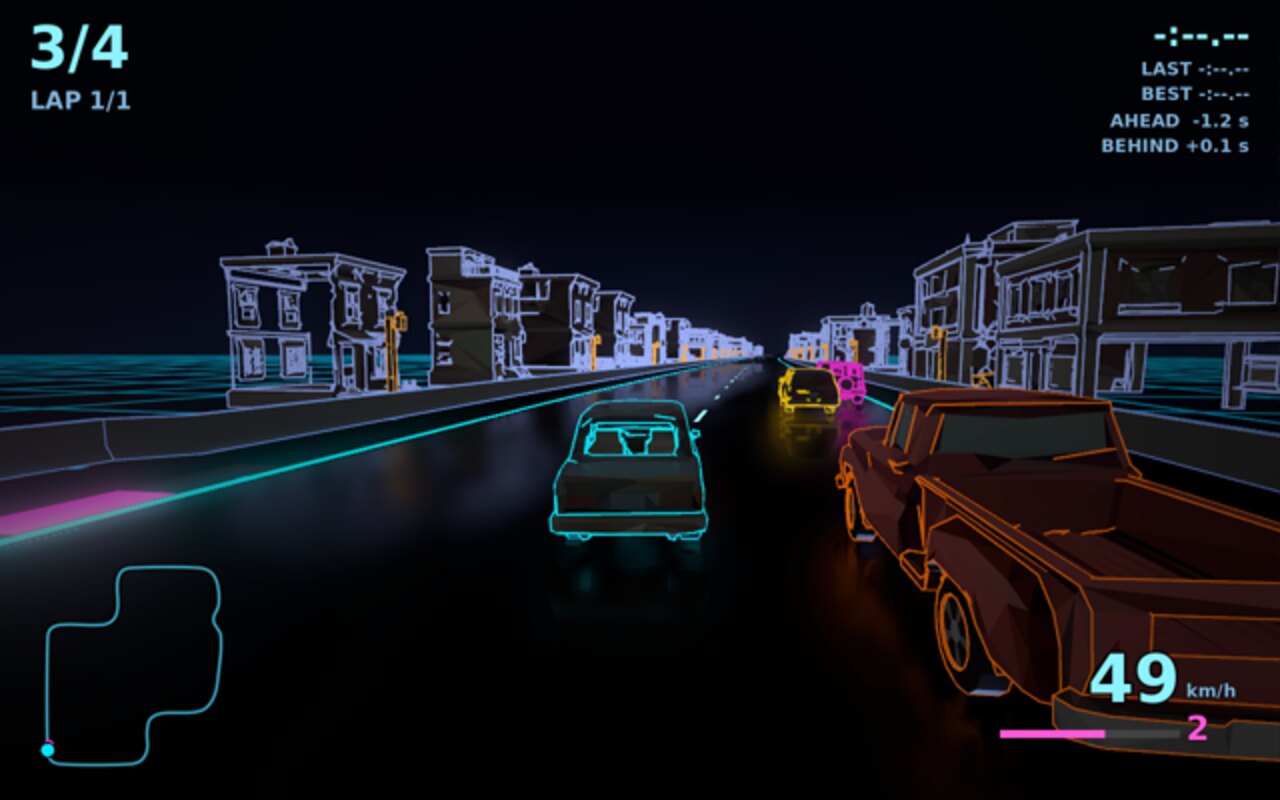
Even so, it fits. A full race on the Old City with four cars, reflections, particles and four synthesised engines averages 5.4 ms of GPU on the Deck, with a 99th-percentile frame of 7.2 ms, against a 16.7 ms budget. The outlines get the biggest share of that budget (9 ms for the track, its scenery and their lines), and the knob for staying inside it is how much track is alive at once rather than how good the lines look.
The next thing the outlines have to learn is damage. Cars already scuff and scorch on the side that takes a hit, but the plan was always for a battered car to lose segments of its outline too, and right now an edge knows its two faces and nothing about the crash.